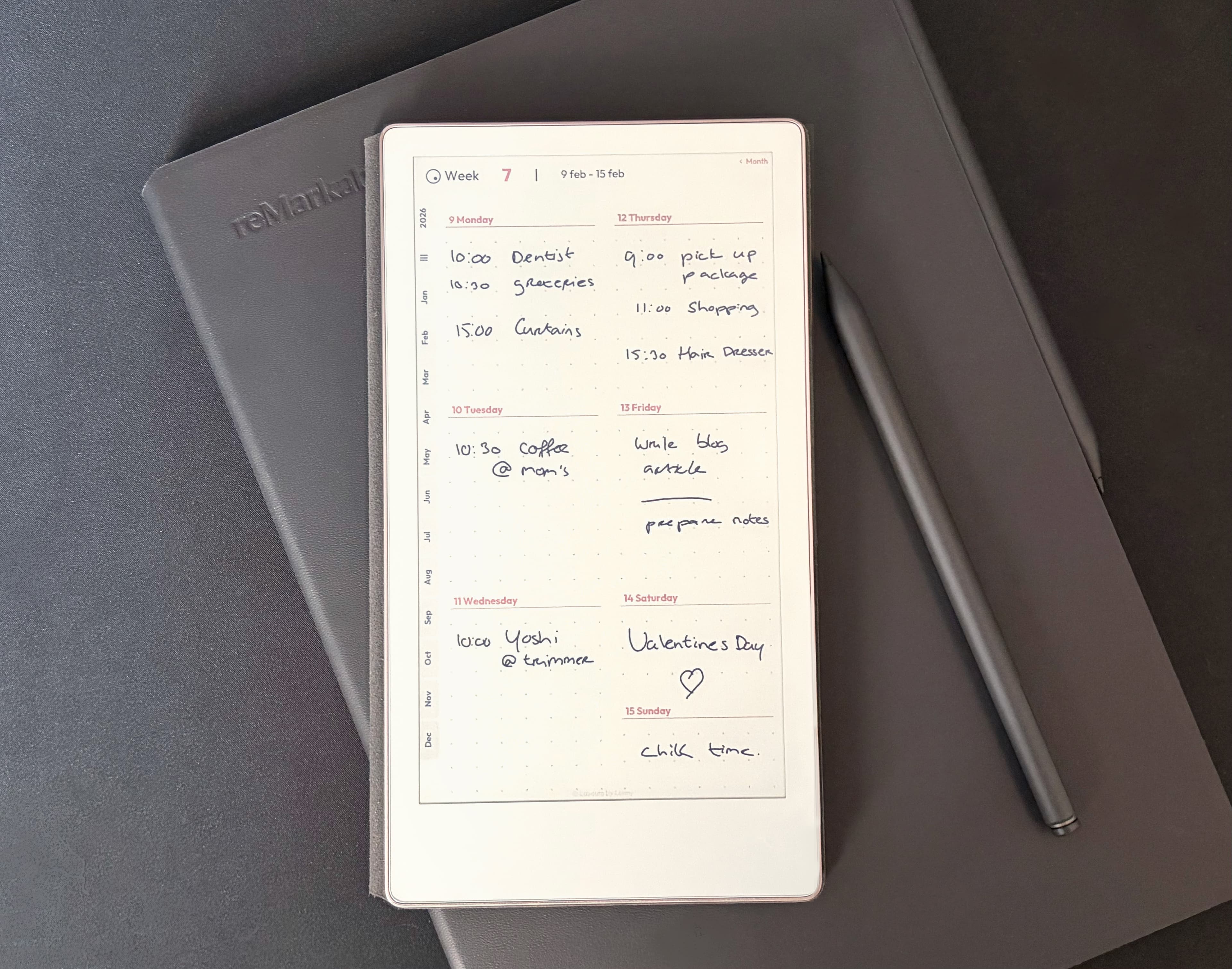
Planning on reMarkable Paper Pro & Move
Written by Lenny · March 16, 2026
It's actually very interesting how this device is rapidly becoming my absolute favorite. It's very portable. I bring it along everywhere, even when I move from room to room in my house. What? I might have something very important to capture. Wouldn't want to miss out on that one thing that really needs to be written down. And yes, sometimes I carry it around for nothing, when I have nothing to say. But that's fine. It HAS to be with me when I do.
I have been working on the Minimalist Year Planner for the iPad for a few months now. And I think I have found the right balance between customizability and user experience. With the several different layouts per week and day, there is always one that works for you. But then I got this new Move device and since I keep carrying it around with me, I've started to long for a good planner on it. And also to improve on the existing templates. There are many good template setups, but for me the actual lines and grids are too light. If I'm writing on it, I want to see the lines or grids I'm writing on. So there we go. I am now developing a planner for the reMarkable Move.
First I imported the planner for the iPad. And it works. It just is very tiny. VERY tiny. This device really needs its own planner.
I now have the tabs on the right. But I have noticed that I accidentally tap on a tab while writing. So I think I will need to create both a right-handed and left-handed version. If you're right-handed, the menu tabs should be on the left. And if you're left-handed, the menu tabs should be on the right. Or at the top. That is yet undecided.
What I also love is that you can rotate it for landscape viewing. If you have both the large reMarkable Pro and the small Move, it's not really handy with the original templates. I find that when I alternate writing in my journal between the Pro and the Move (in landscape), the page gets scaled down when I switch back to the Move. Also, when I use the default templates, I can't find the page endings on the Move. It just seems to go on forever and ever. But when I use my templates, I can see the actual boundaries of the page. I like that. And hopefully, so will you.