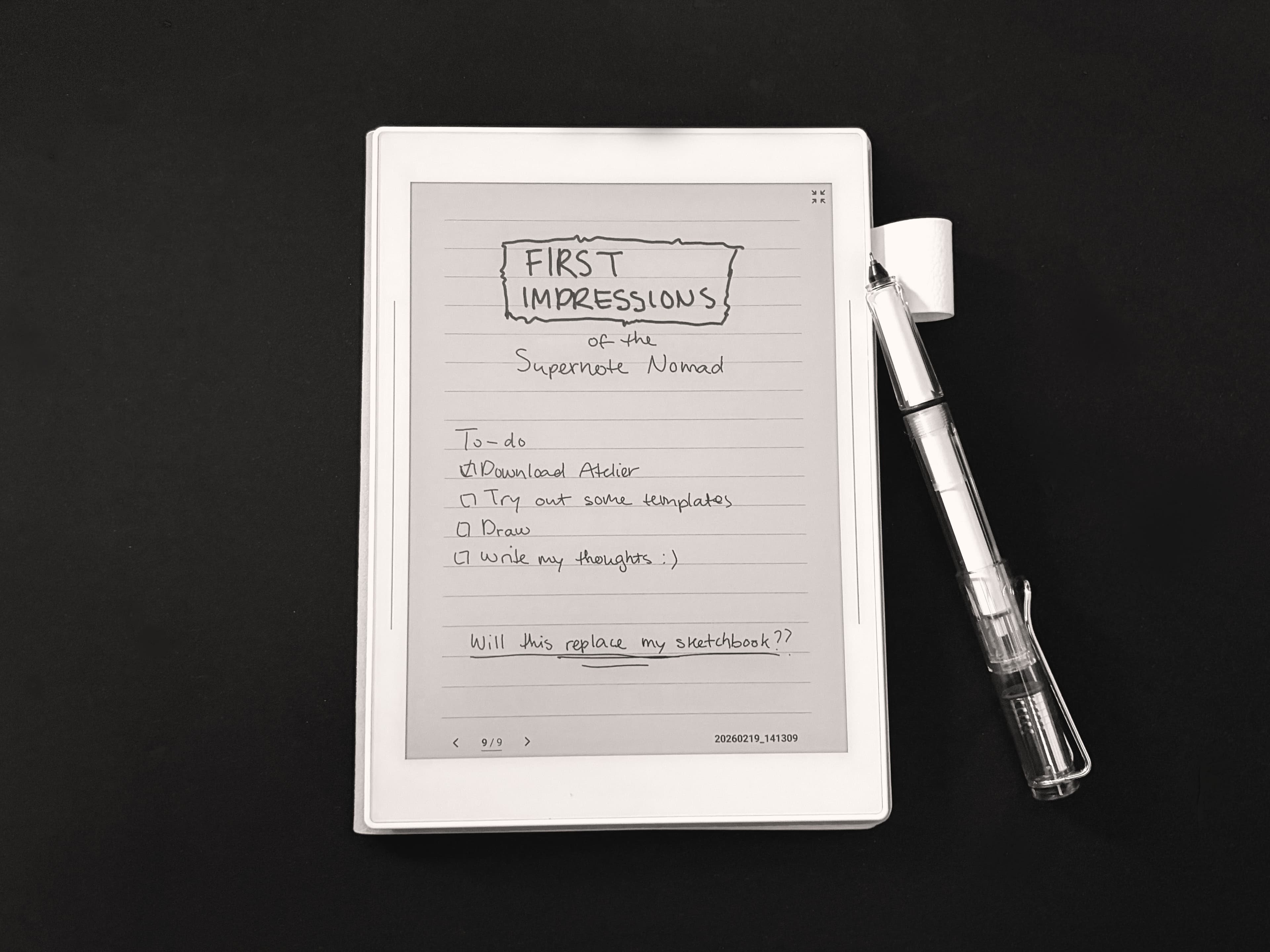
So. I bought a Supernote.
Written by Rodin · March 28, 2026
My mom is absolutely crazy about the reMarkable. She has two of them— as if she doesn't have enough electronics already. Of course, I scoffed. Who needs an E-Ink tablet? I already have an iPad Pro that does everything I need, and if I want the feel of paper, I might as well use, you know, paper.
But then I made the mistake of trying it. And there was no going back.
Now, I couldn't justify spending money on a device that was only good for writing, so I looked into other uses for an E-Ink tablet. I've owned an ereader in the past, but I don't read enough to justify that either. Something I do very often is sketching, however, so I did research on if these tablets can be used for that. And what do you know? They can. Perfect.
After doing some intensive research I kept coming back to the Supernote. There were a few other contenders, like the Boox, which had color as well. But it was really enticing that the Supernote had an entire app dedicated to drawing. Ultimately, that sold me (amongst watching a few reviews). I wasn't only planning to use the tablet for drawing— the iPad is ultimately better for that. But writing was also a big aspect. I wanted to do both, and so I bought the thing. Specifically the Nomad, because portability is a factor too.
How does it feel compared to the reMarkable?
First, I'll talk about the feel of the stylus on the screen, as that's a big component of owning one of these devices. The feel is very important. It's good to know that the Supernote does not feel the same as a reMarkable, and it's not trying to be the same. The reMarkable specifically tries to emulate the feeling of pencil on paper, whereas the Supernote replicates a ballpoint pen on paper. Essentially, the Supernote feels smoother, while the reMarkable has a rougher texture.
Personally, I have to say that I do like the rougher texture of the reMarkable, it's very satisfying in use. But, I vastly prefer the stylus of the Supernote. The one that I chose is the Lamy Safari, which literally has the exterior of a Lamy pen. A huge plus, in my opinion. It feels much more authentic. On top of that, the stylus has a ceramic tip, which means it won't wear out. They claim you never have to replace it. This is a huge draw for me. In my mom's experience, the reMarkable tip has to be replaced quite frequently, something like once a month. Diabolical... I've only replaced the one on my Apple pencil, like, once. To me, the reMarkable stylus also feels very much like using a stylus rather than a pencil. I don't know how to describe it, but I can feel when I'm writing that the tip has some give to it, unlike a real pencil (or the Apple Pencil) which is solid. There's no movement there, it's one unit. I also just like the grip of the Lamy more than the pencil. But all of this comes down to preference (and bias, because I only bought one).
Another important factor is the latency: comparing them directly, the Supernote feels a little bit faster. The reMarkable has a slight lag to it, in my opinion. This might be due to the backlight, which impacts the distance between the screen and the stylus, from what I've heard. That's why the Supernote doesn't have backlight— it was a conscious choice, but it might be a dealbreaker for some people. I do find it slightly inconvenient to have to be in a lit environment to use it. When you use a device, there's the expectation of it being lit. That's something to get used to.
Drawing on Atelier
Of course, the first thing I did was download the native drawing app, Atelier, to try sketching on it. I have to be honest, it was a bit of an adjustment at first. An E-Ink tablet does not have the crisp quality or smooth workflow of an iPad. Not by a long shot, and of course, the Supernote is monochrome. No colors. I knew this, so I had planned on using it as a sketchbook, but even then, using a mechanical pencil on paper is much more precise than the tablet. But nothing can really beat real pencil and paper— not even the iPad. Still, it took a while to get used to the work space.
The tools are quite limited. (You can't adjust the size of the brushes!) You are limited to five layers, and sixteen colors of greyscale. Surprisingly, you can merge layers and adjust opacity, though. You can't select and transform multiple layers at once, but you can flip a selection and resize it. Which is great (and more than you could do a year ago from what I've heard). There are also quite a few erasers! Which is really nice. And there's several pencil types, ranging from 4H to 8B. You can choose from a few different pens— basically, a pressure sensitive one and a consistent one, in a couple sizes. And there are two markers, which is good for coloring in, but I wish I could adjust the size to cover more ground. For all of the tools, you can change the color to one of the sixteen greyscale values. Which, in my opinion, is plenty.
That said, I actually enjoy that there are limitations. It feels closer to real sketching when you don't have many options in transforming layers, or honestly, even the size of a pencil. It keeps you from overthinking small decisions. I mean, I overuse the liquify tool in Procreate to death... I like that I just have to commit to something on the Supernote. There are no distractions, no zooming in to 300% to adjust a single eyelash (the maximum is 150%). It's simple. I like that.
Writing on the Supernote
Writing is probably the main draw of a tablet like this, and I can say that I've really enjoyed the experience so far! As I said, the feeling is very smooth. But not like writing on a glass screen. It does feel closer to paper, just not as textured. It's very enjoyable.
I use it for a few things: taking notes, writing to-do lists, and, probably the most time-consuming: creative writing. I haven't had a chance yet to take this baby to class with me, but I have a feeling it's going to be a great replacement for my messy notebooks. That said, I have used it for creative writing, and it's been perfect for that use. I'm pretty sure the device doesn't have infinite scroll; it feels more like turning pages. So you fill the screen, and then either vertically or horizontally scroll for the next page. Some people might be annoyed by this, personally I like the tactile feel of it. You don't have to create a new page every time (like you do in Noteshelf). It does it automatically, which makes the experience very smooth.
The tools for writing are also a bit limited. Though, writing doesn't need nearly as many as drawing does. But I would've liked a few more pen options, honestly. There are two pens: pressure sensitive, and constant. You can adjust the size though! Huge win. And there is a highlighter and a marker (though I honestly don't know the difference). And an eraser. That's it. Erasing and undoing is very convenient, though. You can use the eraser select tool to instantly erase a large area all at once, or just click a button to delete everything in the document. There is a lasso tool as well, like in Atelier, and there are also layers. It has everything you need, and I haven't encountered any issues or annoyances so far, but more pen options is always fun for stationery lovers.
There are also quite a few templates to choose from. I've only tried a few so far. Mainly the simple ruled page. The smallest, 8mm, was still a bit big for me. So I downloaded a 7mm, which was perfect. Thankfully, it's really easy to upload templates! Especially if you use the built in Supernote cloud.
Another function which is important to me: handwriting recognition, so I don't have to type all of my writing into a document by hand. It's very easy to convert a note into a text file. You just export it as one, and then it will automatically sync to whichever cloud you've chosen to use. Very convenient. The only issue I have with the recognition is the fact that it only properly transcribes existing words (which it does well, even if your handwriting isn't perfect), but if a name or a word isn't recognized, it's not as accurate. And might add random spaces or letters to the word. In my opinion, the solution for this would be to have a custom dictionary, but this isn't a function. I think I managed to find a work around, though, but I haven't tested it yet. So fingers crossed.
Overall
My experience with the Supernote is really positive, and I can especially recommend it to those who enjoy both sketching and writing. But even if you won't use it for both of those purposes, I'd say it's still worth the investment, if you are excited to use it. Using it is a lovely feeling, and it's a convenient alternative to paper.
I haven't been using it for very long, so these are only my initial impressions, but I'm very excited to integrate this little device into my life! (Maybe even... using it for planning?) I can't wait to carry this thing around with me everywhere, especially to class. The Nomad size is great for this, and while I was initially worried it would be too small, I've actually found it to be the perfect size.
In the end, I personally prefer it over the reMarkable. But, of course, I am biased, and I have a sneaking suspicion that my mom is going to be passionately defending the reMarkable in her next blog. But me? I'm a fan of the Supernote.